
It is difficult to delete old public folder from EMC. How to do it, use the ADSIEDIT to clear the old ones.
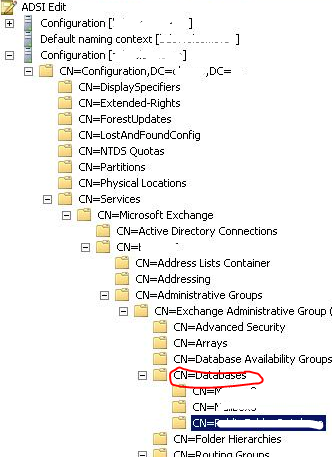
Right click on the folder you want to delete from CN=Exchange Administrative Group, CN=Databases, and click delete. The go to Active directory Sites and Services and initiate the replication across the domain.
Go to EMC and refresh.
Thats it.
 PREMNAIR'S Blog