-
Open the command prompt of the Passive mailbox server..make sure you logged in as domain administrator.
-
Go to C:\Program Files\Microsoft\Exchange SErver\Bin
-
Type the command setup /mode:uninstall
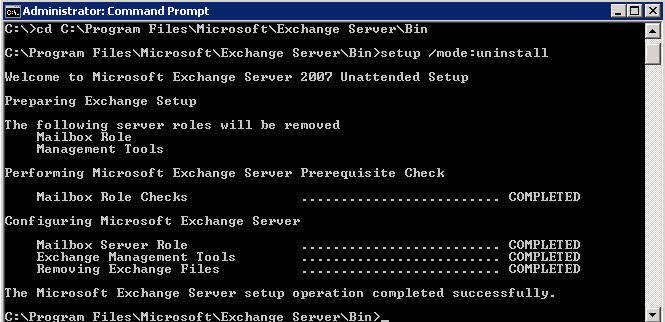
Now you have successfully uninstall the Exchange server mailbox role from the passive node, but the cluster environment server information still exists, and we need to remove that as well.
To do that we need to…
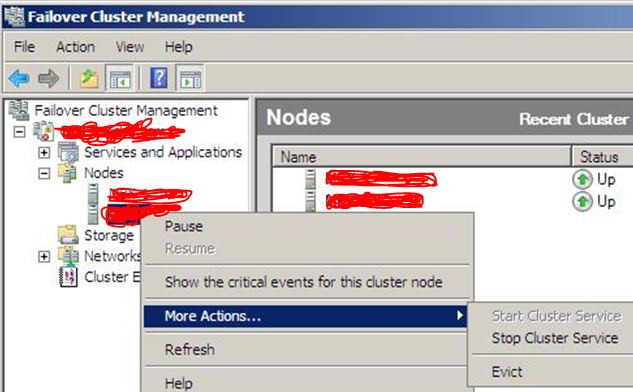
- Open the Cluster Management Tool
- Expand the cluster resource name
- Expand the Nodes
- Right click the passive node server
- Click on More actions -> click on “Stop cluster service”

Once you “Stop Cluster Service”, then click on More actions again and click Evict and click the Evict Node….
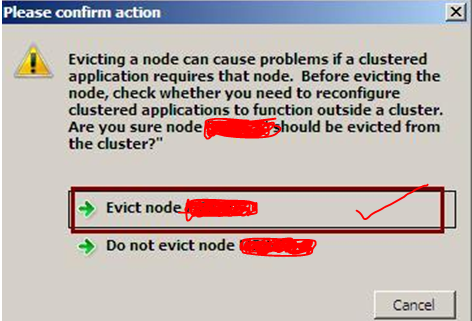
Once you done this, restart the server.
Once the server is up…do the following too
- Open the Server manager console
- Click on Features and then click on Remove Features
- Uncheck Failover Clustering
- Click on Yes to reconfirm and click on NEXT
- Click on Remove.
- After the Server is restarted
- Remove any remaining files and folders from the Exchange Server program files folder and subfolders.
Thats the end of Exchange Server 2007 Mailbox de-commissioning on a Passive node….Now go to the Active mailbox server of Exchange server 2007
This process is not as same like passive node. Here we can’t go with uninstall command only, because this server holds the culstered mailbox server information and it is online. In order to remove this,
Go to the command prompt..change the directory to C:\Program files\Microsoft\Exchange Server\Bin
Type command setup.com /removeCMS /CMSName:<Clustername>
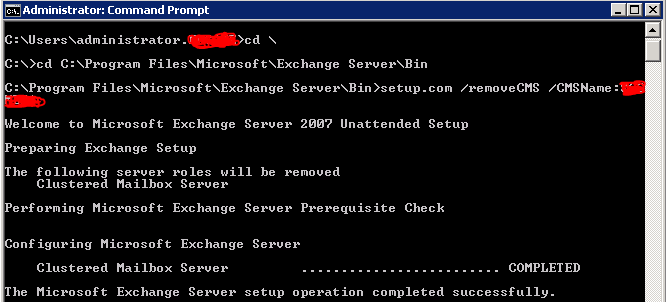
This will take the mailbox now offline from the cluster…
Now type setup /mode:uninstall

Once you finish this uninstallation, Exchange server 2007 last mail box has been remove from your domain..now do the evict
Goto command prompt (If the command prompt is open, close it and open it and then type
Cluster <mailbox cluster name> node <nodename> /force

That’s the end of the “EXCHANGE SERVER 2007 DE-COMMISSIONING PROCESS”
Now you are completely depended on Exchange server 2010.
 PREMNAIR'S Blog