A good blog from my colegue..I agree to that there should be customization quality, so that the upgrades/rollups are easy and the time comes after. Read more
Clicke here Vaidy Mohan’s Greatplains Blog
Enjoy!!!

A good blog from my colegue..I agree to that there should be customization quality, so that the upgrades/rollups are easy and the time comes after. Read more
Clicke here Vaidy Mohan’s Greatplains Blog
Enjoy!!!

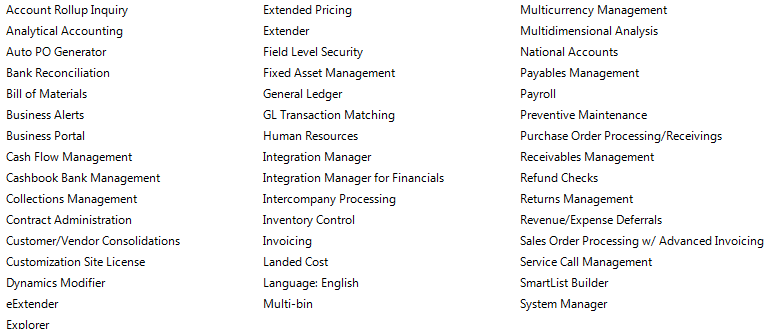
This year was a challenging year for us when it comes to ERP. Microsoft GP 8, we moved to GP10 and Microsoft released Great Plains 2010 and we decided to move to GP2010 because of the new features and collaborations. In 15 days we achieve this task by pulling the data from GP10 database, which is SQL2008 to GP2010 database. 15days with major customization on field service module, New codings on Analytical accounting and our in-house team is able to manage it well, within the time frame..and we are using all the below modules as well…
Now we are in Great Plains 2010…Congratulation to our team
GP2010 beautiful article…from David Musgrave…click here to read more
This message was quite annoying when my colleague created a Test Company in GP10 and restored a Production DB for R&D and Testing purpose. Analytical Accounting windows didn’t get opened and was throwing the following error message: There were several articles which cautioned / warned off from restoring only Company DB, which he is quite aware of. Because restoring another Company’s DB on to a Test Company will not have any issues unless it has got some products, like AA, depending heavily and real-time on DYNAMICS DB.

Read more..click Vaidy’s blog
According to GP Installation Instruction, To set up an ODBC data source, enter the name you assigned to the SQL Server when you installed Microsoft SQL Server. A data source name called Dynamics GP also is created using SQL Native Client. If you don’t want to set up an ODBC data source, mark the Do not create a data source option.
In case, you are stranded when your ODBC DSN is not listed in GP’s Welcome Screen Server Dropdown, on a 64 Bit System, rest assured that you have not created DSN on the correct DSN Maintenance wizard.
More info…read my collegue’s (Vaidy Mohan) blog….this will help you http://www.vaidy-dyngp.com/
Management Reporter extends the proven functionality of Microsoft FRx and enables people to quickly and easily create, generate, help secure and publish professional-looking financial statements, such as profit and loss statements, balance sheets, and cash flow reports…to know more click here
Management Reporter is available for Microsoft Dynamics GP 2010 customers at no additional cost and will be available with future releases of other Microsoft Dynamics ERP solutions. To assist customers currently using Microsoft FRx make the transition to Management Reporter, a migration tool, detailed guidance and information is available at http://www.microsoft.com/dynamics/en/us/products/management-reporter.aspx.
Management Reporter is the replacement product for Microsoft FRx.

i’ve done the implementation on CRM4 on windows server 2008 R2 platform…with SQL 2008 and GP10..Integration between GP10 and CRM using Microsoft adaptor for CRM…which they released newly has quiet a lot of new features. Customer master integration is beautiful…pulling data from GP database to CRM via adaptor..and viceversa..is great now.
Few white papers i want to link it here so that some one out there find help
CRM on Hyper V – Click here
CRM 4 implementation guide … click here
CRM SDK – Click here
Microsoft Dynamics CRM 4.0 Adapter For Microsoft Dynamics GP 10.0 Feature Pack #2 …. It is important to note: Customer’s who also have Microsoft Dynamics CRM 4.0 On-Premise integrated with (through the Adapter) Microsoft Dynamics GP 10.0 On-Premise can also install Feature Pack #2 as there are some additional fix’s for the Adapter included within Feature Pack #2. Partners who have existing Microsoft Dynamics CRM 4.0 Adapter for Microsoft Dynamics GP 10.0 customers can download the Feature Pack #2 at the following location https://mbs.microsoft.com/partnersource/deployment/resources/productreleases/MDGP10_CRMAdapter.htm (Downloads Section)
Microsoft Dynamics GP 2010 and Microsoft CRM 4.0/ Microsoft CRM Online Connector Now Available!…click this link for more info
CRM Blog (A very useful one…i love this blog)…. Click here
Available downloads for Microsoft Dynamics CRM 4.0 may include improvements to Microsoft Dynamics CRM, such as critical security fixes, bug fixes….click here
CRM and Social Networking…White paper…Click here
 PREMNAIR'S Blog
