
Attachment size setting inside Exchange server 2010 for global user settings.
- Go to your mailbox server
- open EMC
- goto Organization configuration
- goto Hub Transport
- select global setting tab
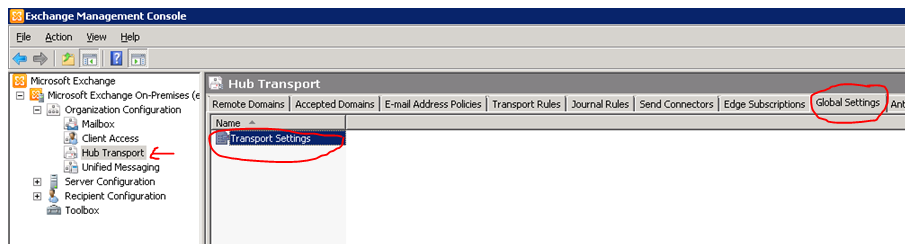
Edit the Transport settings and change the parameters as below.

Once you done it, click Apply and ok
Remember one thing, the more you increase the size of the attachment, the load on the CAS & Edge server increase…plus the Virus scanning engine too.
Thats all folks!!!
 PREMNAIR'S Blog