System Requirements
- Standard or high definition television with HDMI or composite video connections. Cables not included.
- Home network and broadband connectivity for online services.
System Requirements
The application works with Windows XP, Vista, and 7 and requires an iPad with iOS 3.2 or later, the company said. DisplayLink announced an $1.99 application today for iPad which turns your ipad into a second monitor wirelessly connected to a Windows computer.
Read the press release from displaylink, click here.
DisplayLink announced the technology today at the CES show in Las Vegas..read the article from CNet
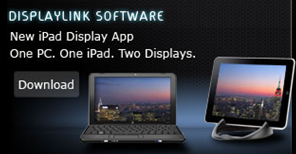
The DisplayLink iPad app turns your iPad into an extended monitor for your PC. Great for improving your productivity by freeing up desktop space on your notebook or desktop computer. Just drag any open window or application on to the iPad display sitting next to your primary display. Park your browser, email, social networking site, IM, or application control console on the iPad display and avoid application view switching on your primary display.
More info/Download DisplayLink iPad Host Software Driver, …click here
Since Exchange server 2010 SP1 has been released on the 1st of September 2010, its too early for me to roll out on my production environment. “Some of the hotfixes would have been rolled up in a Windows update or service pack. Given that the Exchange team released SP1 earlier than what was planned and announced earlier, it did not align with some of the work with the Windows platform. As a result, some hotfixes are available from MSDN/Connect, and some require that you request them online using the links in the corresponding KBAs. The administrator experience when initially downloading these hotfixes may be a little odd. However, once you download the hotfixes, and receive two of the hotfixes from CSS, you can use the same for subsequent installs on other servers. In due course, all these updates may become available on the Download Center, and also through Windows Update.”. Good to know that Exchange team is closely working on all the issues and updating it. I will wait for another 1 to 2 months for my rollout. For more information http://msexchangeteam.com/archive/2010/09/01/456094.aspx
Also another helpful blog for the SP1 installation… click here
Microsoft Exchange Server 2010 SP1 accepts only ten devices per account – iOS4..more info click here
Problems when installing Exchange 2010 Service Pack 1 on a TMG configured for Mail protection..Click here (Update: A fix for this problem is now available for download as part of Software Update 1 for Microsoft Forefront Threat Management Gateway (TMG) 2010 Service Pack 1.)
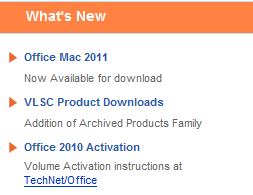
Microsoft says it’s learned from user feedback about Office 2008 and has tweaked the user interface accordingly in Office 2011. Most notably, there’s a new Ribbon at the top of each document window. The Mac version of the Ribbon doesn’t replace any menu bars, but it does replace Office 2008’s controversial Elements Gallery, which took some fire from Mac users for its size and inflexibility. This new Ribbon is designed to give users quick access to each program’s most commonly used tools. Unlike the Elements Gallery, the ribbon is customizable and, if you want more screen space, completely collapsible. Now users who has volume license can start download the new version from their site and for the rest, it will arrive in time for the 2010 holiday season.
The other big news in Office 2011 is the demise of Entourage and the return of Outlook. The new Outlook will support PST imports (allowing you to move an Outlook installation, including all your old e-mails, from a Windows PC to a Mac). It will also support Microsoft’s Information Rights Management (IRM), which allows senders to specify what recipients can do with messages (print, forward, and so on). Previously-Windows only, IRM is required in some corporate settings.
Microsoft has re-engineered the Outlook message database system to be a series of small files, so it’s more easily backed up with Time Machine and searched in Spotlight. “Outlook’s new database is more reliable, faster, and fully supports Time Machine and Spotlight.
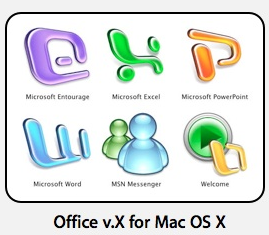
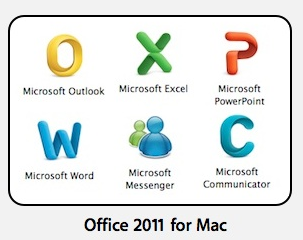
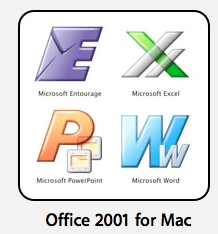
Icons also changed…now they look more professional too..To see the Office 2011 box art,Word click here Excel click here Powerpoint click here
Visual Basic was dropped from Office 2008 in part because it was too technically difficult to port it to the Mac’s then-new Intel CPUs. Microsoft says it began work on that port as far back as 2008—before the last Mac Office shipped. That work is now complete. And the Mac suite will be using the most up-to-date version of Visual Basic, so it’ll be much more compatible with Office for Windows than the Visual Basic in previous versions of Office for Mac.

The Microsoft Outlook Social Connector Provider for Facebook allows you to connect your Facebook account to the Outlook Social Connector and obtain information about your friends and colleagues.
You can see status updates and recently posted items from your Facebook contacts.
You can also use Outlook Social Connector to display a quick view of related Outlook content when you click on an email from a contact, such as recent e-mail conversations, meetings, and shared attachments to help you easily track your communications

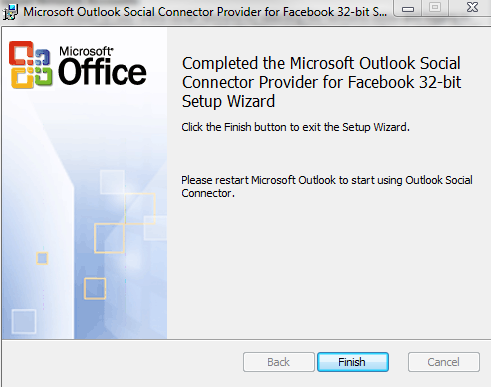
Once you finish installing the Social connector, Please re-start the Outlook and then goto your reading panel below down you can see the user icon and underneath, there is a button called +ADD…click that (Check the above image) and then select each connector and type the credential…
You are ready to go!!! …read my previous blog for more Microsoft Outlook 2010 – Social connector
NOTE: The Microsoft Outlook Social Connector Provider requires Microsoft Outlook Social Connector and the related update (KB983403) to be installed. If these components are not already installed on your machine, the Microsoft Outlook Social Connector Provider for Facebook will download and install the necessary updates from the Microsoft Download Center before completing the provider installation.
To download click here
Apple released iOS 4 recently and since its release there have been numerous reports of a number of issues with new iPhone 4s when using Exchange ActiveSync . Here is the link from Microsoft Exchange Team Blog
PATCH Released from Apple : iPhone users who use the iPhone4 or upgraded to iOS4 must install a related Apple configuration patch on their iPhone. The patch, along with installation directions, can be found here:
http://support.apple.com/kb/TS3398.
iTune 9.2 is ready to download.. http://www.apple.com/itunes/download/
Be ready for the new software with this download…cool
The iOS4 Release and iOS 4 Download will be released on June 21, 2010 by Apple. Estimate that the iOS4 Release Date Time is around 9:00 AM Pacific.
If you plan to get the iOS 4 Download, know that it works with iPhone 4G, iPhone 3GS, iPhone 3G, and all iPod touch models. You must get iTunes 9.2 download in order to get the iOS4 software when it is released.
I can’t wait to start the Mail connectivity with the multiple exchange account…heeeeee
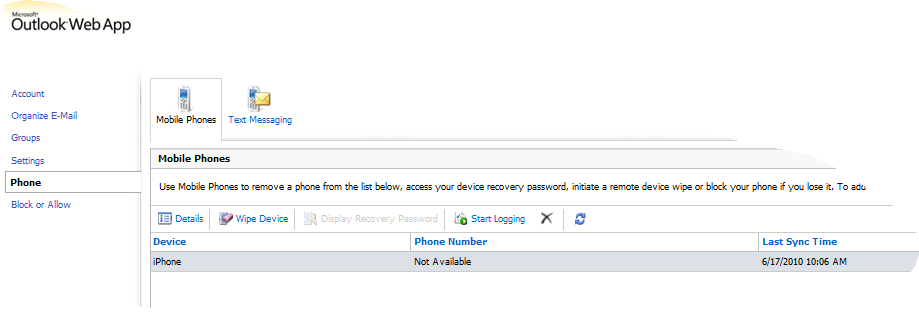
Now with Exchange server 2010 and Outlook Web apps, there is a menu called Option, where this is actually giving you the Exchange control panel for the selective user. From here you can manage the Phone syncronization.
From this option, you can see your device sync status and also when you lost the phone, you can wipe the data from here to protect your data of the lost phone.
Cool features..when you do Exchange server 2010 with Office 2010 and Office web apps.
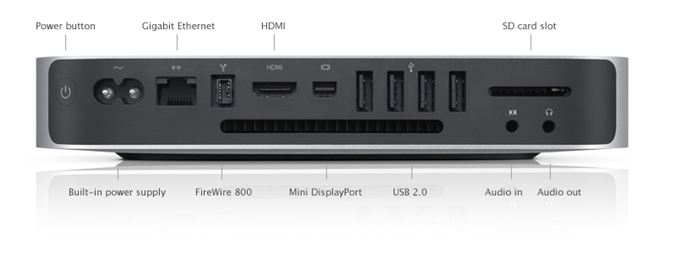
Mac mini features an all-new, 1.4-inch-thin aluminum enclosure. It’s called the unibody — a seamless enclosure carved from a single, solid block of aluminum. The unibody construction was originally developed for Apple’s MacBook Pro. It’s created using computer numerical control, or CNC, machines — the same kind used by the aerospace industry to build mission-critical spacecraft components…Now you can get a 320GB or 500GB hard drive1 and pack in your photo libraries, movies, music, files, and more, more, more. You can also play and burn all the DVDs and CDs you want with the fast, slot-loading SuperDrive…Thanks to a removable bottom panel, now it’s easy to open Mac mini and add memory. Just a slight twist of the panel, and you’re inside Mac mini. Simply pop your memory into the SO-DIMM slot, then twist the panel back on. And you’re done…more info click here

Interested in checking out the new web platform capabilities of Internet Explorer 9?…Test Drive
Internet Explorer 9 now also supports TIFF and JPEG XR images. JPEG XR offers better image quality than JPEG at the same file size.
A comparison video on the windows blog..click here