
SSD (Solid State Drive) vs Flash drive (USB drive)

Most of the friends and collegues starts asking me the question about the difference between SSD and Flash Drive. I thought of writing this blog..so here it is

‘Flash Drives’ are a generic term which used for anything from USB memory sticks to SSDs. An USB flash drive uses lower quality low performance NAND flash with just 1 or 2 channels. Its durable, cheap but slow. An SSD on the other hand uses high performance NAND with mutliple channels. ( 12 or 8 is not uncommon), and there is a  memory controller on a SSD which is much better and both can store data even if its not powered.
Flash drives (USB) are slow storage devices where as SSDs are high performance drives. They’re much faster than normal HDDs.

A USB flash drive uses USB, which is generally a slower interface than the Serial ATA interface. A USB flash drive is generally thought of as a removable device by the OS and is managed as such. A SSD is treated similarly to a hard drive, and is often recognized by your OS as a type of fixed disk.

USB flash drives and solid-state drives are both based on flash memory. Most of the flash memory use  NAND memory, which are available as single-level cells (SLC) and multi-level cells (MLC). Single-level cells store a single bit in a single memory cell, whereas multi-level cells store more than a single bit in a single memory cell. The MLC accomplishes this by allowing each memory cell to store multiple electrical states, therefore, allow one MLC cell to store more information than one SLC cell. For example, a MLC that uses 4-levels can store 2 bits of information.  MLC are cheaper, as they can store more information per memory cell than SLC. Cheap, large SSDs and USB flash memory use MLC disks, although not necessarily. MLCs sounds great in terms of storage density, but it does have a catch. MLCs are  slower than SLC. Therefore, the large capacity USB flash drives and SSDs tend to be slower. Solid-State Drives (SSDs) have no moving parts, high reliability and longer life-span than traditional hard drives

Wikipedia definition about SSD and Flash Drive

One of the example of SSD is Intel X25-E Extreme SATA Solid State Drive
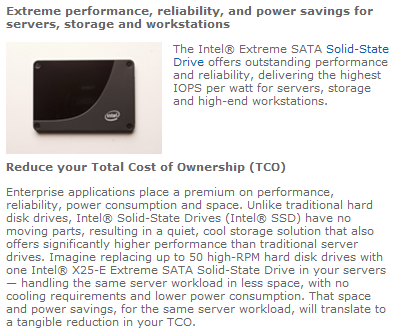
Courtsey : Intel… to know more about this, Click here

To know some other product Iomega® External SSD Flash Drive, SuperSpeed USB 3.0, Click here
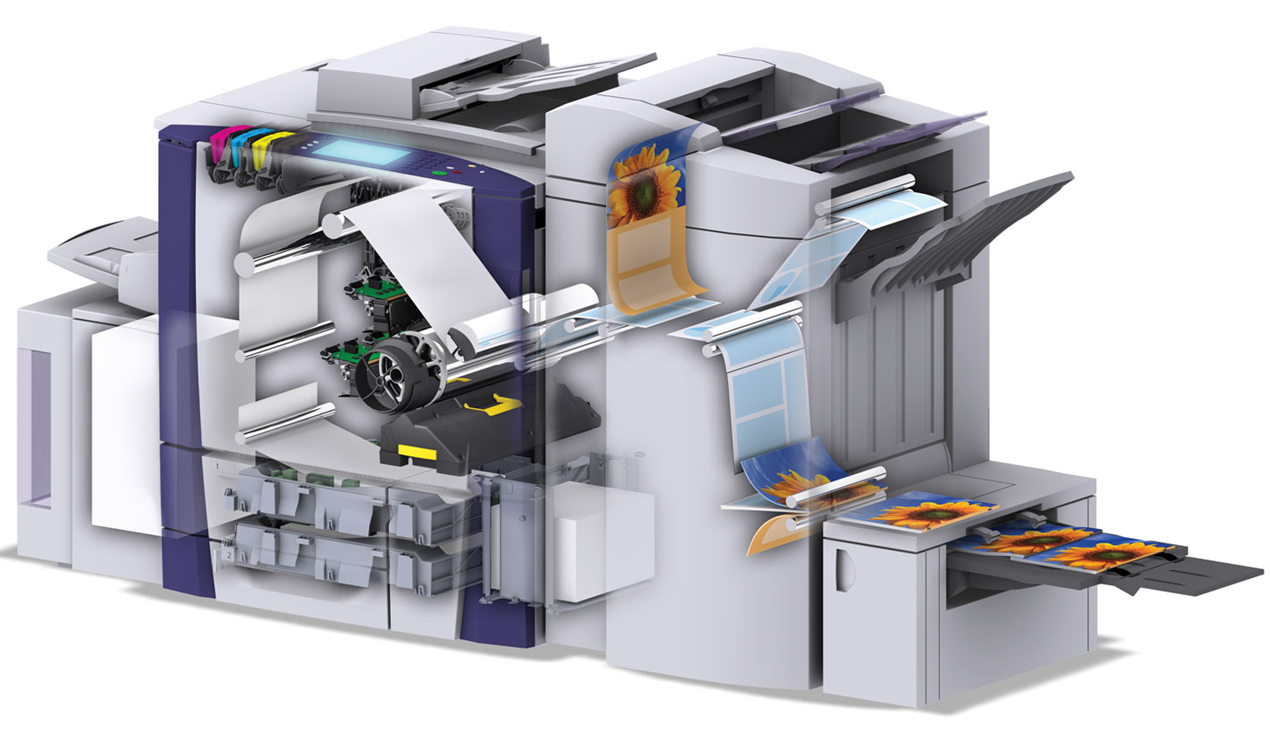
Xerox ColorQube with Solid ink

Xerox’s new ColorQube printer revolutionize the color-printing game using a crayon-esque ink that can reduce the cost per page by as much as 62%. Like traditional multi-function printers, the ColorQube can print, copy, scan and fax and it is loaded with Network printing features. However, it’s the crayon-esque ink that’s the real star of the show. The ink is melted and sprayed onto a spinning drum which deposits the ink onto the page. The hazle of replacing the waste toner is also cool, its just like a frozen tar and not like powder and you can reuse the tray as well. 

Solid ink’s cartridge-free design and minimal packaging, its nearly waste-free printing process and its safe, toxin-free solid ink sticks make it a very environmentally-conscious way to print.


Etisalat new HSPA + Wifi Router

New HSPA + Wifi Router Model number 3G21WE from Etisalat….Its a 3G Modem Router with Wireless N technology, 4Ethernet Port and 2 USB port for File/Print sharing. This supports the downlink speed upto 21Mbps and an uplink speed upto 5.76Mpbs. Purpose for this is to use remote internet access accross UAE. Cool product..

What is HSPA?

HSPA supports increased peak data rates of up to 14 Mbit/s in the downlink and 5.8 Mbit/s in the uplink. It also reduces latency and provides up to five times more system capacity in the downlink and up to twice as much system capacity in the uplink, reducing the production cost per bit compared to original WCDMA protocols. HSPA increases peak data rates and capacity in several ways:

  • Shared-channel transmission, which results in efficient use of available code and power resources in WCDMA
  • A shorter Transmission Time Interval (TTI), which reduces round-trip time and improves the tracking of fast channel variations
  • Link adaptation, which maximizes channel usage and enables the base station to operate close to maximum cell power
  • Fast scheduling, which prioritizes users with the most favorable channel conditions
  • Fast retransmission and soft-combining, which further increase capacity
  • 16QAM (Quadrature Amplitude Modulation), which yields higher bit-rates

HSPA has been commercially deployed by over 200 operators in more than 80 countries.

Exchange server 2007 to 2010 Live migration!!!! Live blog!!! Live Platform…real time scenario!!!

Please find on my blog, one page dedicated to this task…you can see it on my blog top page… or click here

             TO                                          

 MIGRATION…Started on June 8, 2010 ….Today 20th of June..all the objects has been replicated to Exchange 2010..Now the decommissioning starts..Finish too

USB to DVI HD Adapter – A great gadget

If your PC needs more display to show different application, while working, this is the great gadget which i just come across…. Gefen…USB to DVI…simply connect the USB to DVI HD Adapter’s USB side to a USB port on the computer with the USB cable supplied. Connect a DVI cable between the USB to DVI HD Adapter and the display. The Gefen USB to DVIHD uses little resources, ensuring a quality display without compromising performance. Up to six USB to DVI Graphics Adapters can be connected to a PC (4 to a Mac) at a time…resolutions reaching 1080p or 1920×1200 and 2K

To know more about the Gefen product click here