Microsoft Office 365…whaooo

Microsoft Office 365 - Online Services & Hosted Software in the Cloud

What is this?????

Microsoft Office 365 delivers the power of cloud productivity to businesses of all sizes, helping to save time and money and free up valuable resources. Office 365 combines the familiar Microsoft Office desktop suite with online versions of our next-generation communications and collaboration services: Microsoft Exchange Online, Microsoft SharePoint Online, and Microsoft Lync Online. Office 365 services are easy to administer and simple to use—with the robust security, reliability, and control you need to run your business

Microsoft Office 365 includes: Exchange Online, SharePoint Online, Lync Online and the latest version of Microsoft Office Professional Plus desktop suite.

Microsoft Exchange Online is designed for organizations who want to get the benefits of cloud-based email without sacrificing the business-class capabilities that Exchange Server has been providing for decades. Built on Exchange Server 2010, Exchange Online provides organizations with the latest capabilities including built-in archiving, optional Conversation View, and MailTips, along with powerful web-based tools for managing online deployments.  With Exchange Online, Microsoft handles the ongoing maintenance, patches, and upgrades of the Exchange infrastructure while providing IT administrators the control and flexibility they require.

Microsoft Lync Online is a next-generation cloud communications service that connects people in new ways, anytime, from anywhere. Lync Online provides intuitive communications capabilities across presence, instant messaging, audio/video calling and a rich online meeting experience including PC-audio, video and web conferencing. Transform your interactions with colleagues, customers and partners from today’s hit-and-miss communication to a more collaborative, engaging, and effective experience.

Office 365 is the introduction of new productivity online services and capabilities. It provides new online platform capabilities related to the introduction of the latest underlying 2010 server software into Microsoft Online Services datacenters.  The limited beta release will be offered in following languages: Chinese (traditional), English, French, German, Italian, Japanese, and Spanish.

To know more..click here and to follow their blog, click here

Office 365 will be available for purchase in 2011.

Enterprise customers can contact a Microsoft sales representative or Microsoft partner directly for purchase details..to know about volume licensing, click here

Exchange Server 2010 SP1…Now Available

From my previous post Exchange Server 2010 Service Pack 1 Beta released and Exchange Server 2010 Service Pack 1 – Sneak-peak , they have released the RTM of Exchange server 2010 SP1..Read the blog 

Release Notes for Exchange Server 2010 SP1…Click here
What’s New in Exchange 2010 SP1…Click here
Exchange Server 2010 SP1 – Deployment topics … Click here
Deploy it today

Windows 7 and Windows Server 2008 R2 SP1 RC

Windows 7 and Windows Server 2008 R2 SP1 RC helps keep your PCs and servers on the latest support level, provides ongoing improvements to the Windows Operating System (OS), includes previous updates delivered over Windows Update as well as continuing incremental updates to the Windows 7 and Windows Server 2008 R2 platforms based on customer and partner feedback, and is easy for organizations to deploy a single set of updates.

Windows 7 and Windows Server 2008 R2 SP1 RC will help you: Click here to get to know more : http://technet.microsoft.com/en-us/evalcenter/ff183870.aspx

  • Keep your PCs supported and up-to-date
  • Get ongoing updates to the Windows 7 platform
  • Easily deploy cumulative updates at a single time
  • Meet your users’ demands for greater business mobility
  • Provide a comprehensive set of virtualization innovations
  • Provide an easier Service Pack deployment model for better IT efficiency

Evernote 4 for Windows

Evernote 4 is a major departure from Evernote 3.5 in every way. While 3.5 added tons of great new features. So theydecided to start over from scratch, with fast, native C++ that we knew we could rely on. As you’ll see, the results are amazing. This new version will set a foundation for rapid improvement. It is designed to give you a great experience on any computer that you use, whether you’re on a netbook, a five year old Windows XP machine or a super fast top-of-the-line Windows 7 computer.

Here are a few of our favorite user interface improvements:

  • Space saving layout: The toolbar and menu bar are merged to take up less screen space. You can always switch to the old school layout in the Option menu.
  • More responsive interface: Switching between notes, displaying searches, bringing Evernote into the foreground, and virtually all other interactions are much faster.
  • Easier new note creation: We’ve added a New Note split button, which lets you pick the type of note you wish to create (text, ink or webcam). It will remember your selection for next time.
  • Relocated Search Bar: Note search and the search description now reside directly over the note list—a more intuitive location. You can click the small arrow to open and close the search description. Closing the description gives you more room to view your notes list, opening it makes it easy to modify your search.
  • Clearer note info: The note information panel is more crisp and clear with the title, notebook and source links right up top. Just like the search panel, you can open the note information panel to access the details. Navigating through the note info panel and tagging notes using your keyboard is fast and efficient.

Great Plains 2010 gone live in 15 days!!!

Attend a Microsoft Dynamics GP 2010 Launch Event – The new way to do business

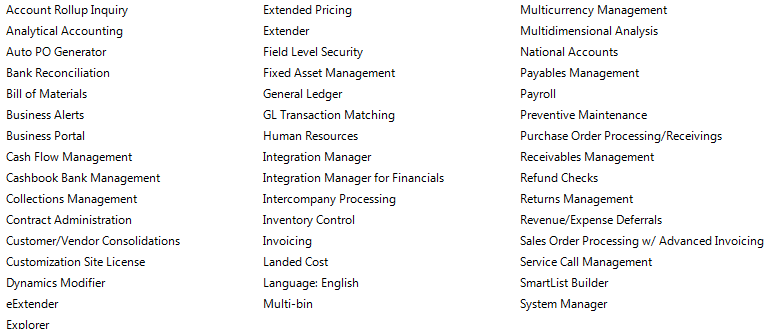
This year was a challenging year for us when it comes to ERP. Microsoft GP 8, we moved to GP10 and Microsoft released Great Plains 2010 and we decided to move to GP2010 because of the new features and collaborations. In 15 days we achieve this task by pulling the data from GP10 database, which is SQL2008 to GP2010 database. 15days with major customization on field service module, New codings on Analytical accounting and our in-house team is able to manage it well, within the time frame..and we are using all the below modules as well…

Now we are in Great Plains 2010…Congratulation to our team

Microsoft Office for Mac 2011- released

Microsoft says it’s learned from user feedback about Office 2008 and has tweaked the user interface accordingly in Office 2011. Most notably, there’s a new Ribbon at the top of each document window. The Mac version of the Ribbon doesn’t replace any menu bars, but it does replace Office 2008’s controversial Elements Gallery, which took some fire from Mac users for its size and inflexibility. This new Ribbon is designed to give users quick access to each program’s most commonly used tools. Unlike the Elements Gallery, the ribbon is customizable and, if you want more screen space, completely collapsible.  Now users who has volume license can start download the new version from their site and for the rest, it will arrive in time for the 2010 holiday season.

The other big news in Office 2011 is the demise of Entourage and the return of Outlook. The new Outlook will support PST imports (allowing you to move an Outlook installation, including all your old e-mails, from a Windows PC to a Mac). It will also support Microsoft’s Information Rights Management (IRM), which allows senders to specify what recipients can do with messages (print, forward, and so on). Previously-Windows only, IRM is required in some corporate settings.

Microsoft has re-engineered the Outlook message database system to be a series of small files, so it’s more easily backed up with Time Machine and searched in Spotlight. “Outlook’s new database is more reliable, faster, and fully supports Time Machine and Spotlight.

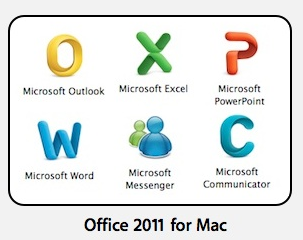
Icons also changed…now they look more professional too..To see the Office 2011 box art,Word click here Excel click here Powerpoint click here


Visual Basic was dropped from Office 2008 in part because it was too technically difficult to port it to the Mac’s then-new Intel CPUs. Microsoft says it began work on that port as far back as 2008—before the last Mac Office shipped. That work is now complete. And the Mac suite will be using the most up-to-date version of Visual Basic, so it’ll be much more compatible with Office for Windows than the Visual Basic in previous versions of Office for Mac.

Xerox ColorQube with Solid ink

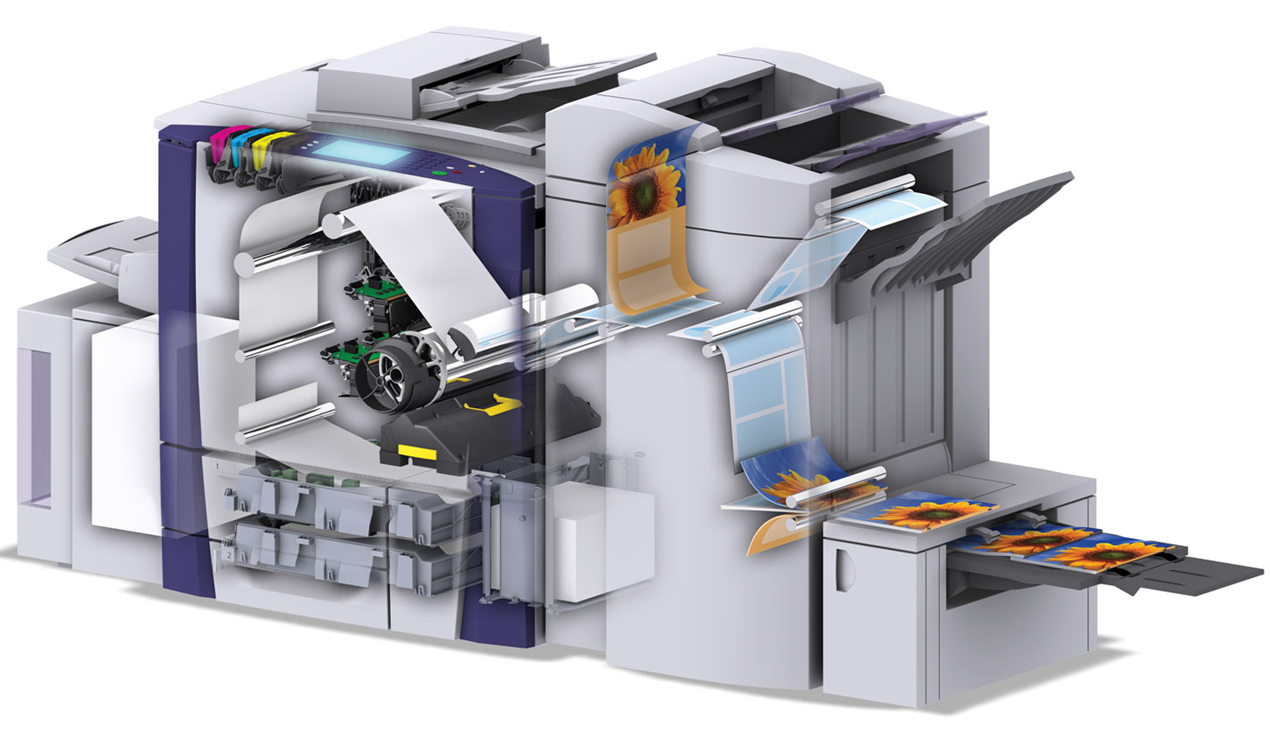
Xerox’s new ColorQube printer revolutionize the color-printing game using a crayon-esque ink that can reduce the cost per page by as much as 62%. Like traditional multi-function printers, the ColorQube can print, copy, scan and fax and it is loaded with Network printing features. However, it’s the crayon-esque ink that’s the real star of the show. The ink is melted and sprayed onto a spinning drum which deposits the ink onto the page. The hazle of replacing the waste toner is also cool, its just like a frozen tar and not like powder and you can reuse the tray as well. 

Solid ink’s cartridge-free design and minimal packaging, its nearly waste-free printing process and its safe, toxin-free solid ink sticks make it a very environmentally-conscious way to print.


New Hotmail look & feel …cool

I really love the new look and features…Outlook webapps is playing an important role here…Now, its  faster Hotmail experience with great new features like one-click filters, Sweep, Active Views and more..also it does’nt now sign you automatically to messenger, when you log on to mail…cool one

New look and feel

 Junk mail options are getting better..need room to improve..i’m waiting for the active sync for hotmail…or direct push service…

Hotmail on iPhone..superb…i tried..really cool..read this post

Best of luck to Hotmail Team!!!!

For your feedbacks…click here to post

Windows Live Team Blog…click here

Exchange server 2010 – Edgeserver not able to save block IP

If you come across the issue of saving the IP which needs to block it under the “Edge server IP Block List” entry, following error receive “The server threw an exception. (Exception from HRESULT: 80010105 (RPC_E_SERVERFAULT))”

Why this is used : IP Block List is part of the connection filtering feature in Exchange. When the IP Block List feature is enabled on a computer, the Connection Filter agent analyzes all messages that come through all Receive connectors on that computer and it block all incoming messages from addresses specified in the IP Block list.

Reason for the above error : Duplicate IP exist inside the IP block list.

Resolution : From the EMS (Exchange management shell) use the following. You use the Add-IPBlockListEntry and Remove-IPBlockListEntry cmdlets to manage the addresses in the IP Block list. You can specify individual IP addresses, IP subnets using the CIDR notation, or IP ranges.

From the EMS,

If you want to list all the IP blocklist for verification, type  Get-IPBlockListEntry . This will list all the Block IP, and you can see the duplicate entries. Write down each of the dupicate entry seperately and then run the following command for each entries.

To remove an address from the IP Block list using the Shell, you must specify this IP. However, an easier way to remove an address is to pipeline the output of the Get-IPBlockListEntry cmdlet to the Remove-IPBlockListEntry cmdlet.

For example, if you want to remove the IP address 192.168.1.100 from your IP Block list, run the following command:

Get-IPBlockListEntry -IPAddress 192.168.1.100 | Remove-IPBlockListEntry

This will remove 192.168.1.100 from your IP block list, which is a duplicate, identified by you. For each entry, do the same by changing the IP. Once it is done, Your block list will start accepting the IP to block and  save it on the list, without throwing the error (as above mentioned)

Microsoft Reader

Microsoft Reader is a free, downloadable software application that allows you to read eBooks on Windows-based devices you may already own. Take advantage of a growing marketplace of over 60,000 eBook titles while enjoying the convenience and features of Microsoft Reader

Features

Read about the features that make Microsoft Reader unique…Home page for this..Click here

  1. ClearType
    Patented ClearType display technology revolutionizes on-screen reading.
  2. Bookmarks
    Add electronic bookmarks and use them in powerful ways.
  3. Improved Navigation
    Move easily with your keyboard, mouse, or stylus.
  4. Library
    Catalogue all your eBooks in your personalized “home page.”
  5. Find
    Search for text in any eBook.
  6. Notes
    Add your own notes to any page.
  7. Font Size
    Create large-print eBooks with a single command.
  8. Drawings
    Create free-form drawings on your eBook pages.
  9. Rotate and Resize (Tablet and Windows Mobile)
    Take full advantage of your Tablet or Windows Mobile in either landscape or portrait modes.
  10. Annotations
    Store all your annotations in a single location.
  11. Pan and Zoom Graphics (Tablet PC and Windows Mobile)
    Zoom in to get a close-up view of graphics and pictures.
  12. Highlights
    Call attention to a word or a passage, and find it any time.
  13. Dictionary
    Look up words as you read.