I wish all my readers a very happy and prosperous new year ahead. I thank you for your support and advice.
-PREMNAIR


I wish all my readers a very happy and prosperous new year ahead. I thank you for your support and advice.
-PREMNAIR
In Windows 7, the taskbar has been completely redesigned to help you more easily manage and access your most important files and programs. As of Windows 7, the taskbar has been extended significantly under the guiding principle of getting users where they’re going as quickly and efficiently as possible. To that end, the application windows, files, and commands that the user needs to accomplish that are now centralized into a single taskbar button that consolidates previously scattered information sources and controls. A user can now find common tasks, recent and frequent files, alerts, progress notifications, and thumbnails for individual documents or tabs all in one place.

A small set of applications are pinned by default for new installations. Other than these, only the user can pin further applications; programmatic pinning by an application is not permitted. The Show Desktop feature from Quick Launch is now located at the taskbar’s far right. Hovering over this area causes all active windows to become transparent, showing the desktop. Clicking the area executes the familiar action of minimizing all windows and switching to the desktop.
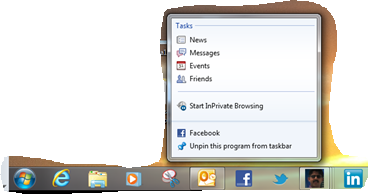
You can just drag your web pages/programs to the task bar and the icon is created plus the menu available to that program is also listed..cool na take a look at what i created for me…my facebook, twitter, linkedin and my blog page…hmm

Change how icons appear in the notification area…to know click here
Enjoy!!!

System Requirements
Today I’ve received an onsite baloon message from FACEBOOK which shows ” Upgrade your Message” and now I too have my own facebook email id.
Steps to follow:

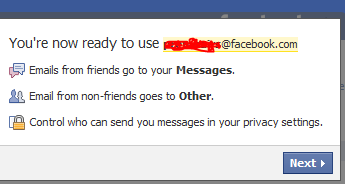

Above screen is for Text messaging from FB and it depends on the GSM carrier. You have the option to skip.
That’s it. Enjoy
The Microsoft Outlook Social Connector Provider for Facebook allows you to connect your Facebook account to the Outlook Social Connector and obtain information about your friends and colleagues.
You can see status updates and recently posted items from your Facebook contacts.
You can also use Outlook Social Connector to display a quick view of related Outlook content when you click on an email from a contact, such as recent e-mail conversations, meetings, and shared attachments to help you easily track your communications

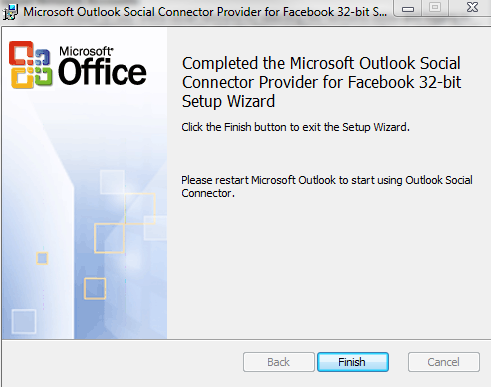

Once you finish installing the Social connector, Please re-start the Outlook and then goto your reading panel below down you can see the user icon and underneath, there is a button called +ADD…click that (Check the above image) and then select each connector and type the credential…

You are ready to go!!! …read my previous blog for more Microsoft Outlook 2010 – Social connector
NOTE: The Microsoft Outlook Social Connector Provider requires Microsoft Outlook Social Connector and the related update (KB983403) to be installed. If these components are not already installed on your machine, the Microsoft Outlook Social Connector Provider for Facebook will download and install the necessary updates from the Microsoft Download Center before completing the provider installation.
To download click here
Please find on my blog, one page dedicated to this task…you can see it on my blog top page… or click here
 TO
TO 
MIGRATION…Started on June 8, 2010 ….Today 20th of June..all the objects has been replicated to Exchange 2010..Now the decommissioning starts..Finish too
The all-new Outlook Social Connector connects you to the social and business networks you use, including Microsoft SharePoint, Windows Live, and other popular third-party sites, so you can get more information and stay in touch with the people in your network without leaving Outlook…..Stay up-to-the-minute with the people in your networks by accessing everything from e-mail threads to status updates in one single, centralized view.
Stay up-to-the-minute with the people in your networks by accessing everything from e-mail threads to status updates in one single, centralized view.
| Synchronize your contact data right into Outlook 2010 and obtain information about your friends and colleagues. See status updates from various networks and recently posted files—even view shared photos |
| Connect to SharePoint Server 2010 social data and receive updates from your workplace, such as newly posted or tagged documents, site activity, and more. |
| Easily track your communication history. Use the Outlook Social Connector to display a quick view of related Outlook content when you click on a contact’s name, such as recent e-mail conversations, meetings, and shared documents. |
Top 10 benefits of Outlook 2010 – using Microsoft Office professional plus…this version has the social connector…all you need is to install it

Top 10 benefits of Outlook 2010 using Business Contact Manager – using Microsoft Office professional plus
Connecting Outlook to each social network requires a provider. To get started, download and install social network provider for Outlook.

Linkedin Outlook 2010 connector, download here once you finish installing it, re-start Outlook 2010
Enjoy…!!!!
 PREMNAIR'S Blog