
A cool tool (AD Photo Edit) which you can use to update your profile picture and have the picture displayed on your Lync Online home page or SharePoint site. This beautiful tool uploads a picture into the thumbnailPhoto attribute in Active Directory user properties.
This information is then synchronized with the Cloud through the Microsoft Online Services Directory Synchronization tool. You can download the AD Photo Edit from here. Once the tool is installed AD Photo Edit automatically detects and connects to your Active Directory. If you want to upload the domain users photo, you need to have administrative credential. Users are selected by using their “username”. There are free edition, which upload photos individually and bulk edition which is a paid edition.
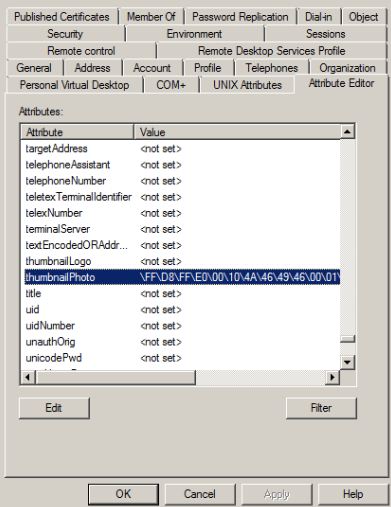
When you update the photo, your user properties will be filled with values as show in the picture below, (If you already attach a picture, this tool will display the existing picture and you can change it with the new one). if there are no picture attached to your profile, this field will show as <not set>.
Enjoy!!!
 PREMNAIR'S Blog