
When you have a mail enabled public folder in your exchange server 2007/2010 environment, you might face issues with email forwarding from the public folder from your user account, where you will get an error “Operation failed”.
Resolution :
- Logon to outlook with administrator(Domain) credemtial
- Goto the Public folder
- Select the folder where you are facing the issue
- Right click
- Select Properties
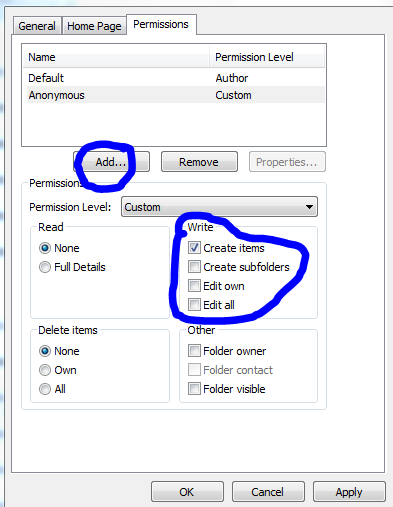
- Goto Permission TAB
- Add users
- Check mark the appropriate rights on the “Write” permission area..normally “Edit all” will do the work
- Click apply and click ok.
 PREMNAIR'S Blog