WordPress services getting better…!!!

You can now go to your My Blogs tab, enable Post by Voice, and get a special number and code to call your blog. After you’re done, the audio file from your phone call will be posted to your blog for all to listen to and enjoy..read more Click here

Publicize….WordPress.com sends your published blog posts to several places to automatically promote them for you..like twitter, facebook etc…read more click here

Microsoft Reader

Microsoft Reader is a free, downloadable software application that allows you to read eBooks on Windows-based devices you may already own. Take advantage of a growing marketplace of over 60,000 eBook titles while enjoying the convenience and features of Microsoft Reader

Features

Read about the features that make Microsoft Reader unique…Home page for this..Click here

  1. ClearType
    Patented ClearType display technology revolutionizes on-screen reading.
  2. Bookmarks
    Add electronic bookmarks and use them in powerful ways.
  3. Improved Navigation
    Move easily with your keyboard, mouse, or stylus.
  4. Library
    Catalogue all your eBooks in your personalized “home page.”
  5. Find
    Search for text in any eBook.
  6. Notes
    Add your own notes to any page.
  7. Font Size
    Create large-print eBooks with a single command.
  8. Drawings
    Create free-form drawings on your eBook pages.
  9. Rotate and Resize (Tablet and Windows Mobile)
    Take full advantage of your Tablet or Windows Mobile in either landscape or portrait modes.
  10. Annotations
    Store all your annotations in a single location.
  11. Pan and Zoom Graphics (Tablet PC and Windows Mobile)
    Zoom in to get a close-up view of graphics and pictures.
  12. Highlights
    Call attention to a word or a passage, and find it any time.
  13. Dictionary
    Look up words as you read.


Why can’t I run Microsoft Dynamics GP via ODBC over a WAN?

GP2010 beautiful article…from David Musgrave…click here to read more

Great Plains 10 -Analytical Accounting Error

This message was quite annoying when my colleague created a Test Company in GP10 and restored a Production DB for R&D and Testing purpose. Analytical Accounting windows didn’t get opened and was throwing the following error message: There were several articles which cautioned / warned off from restoring only Company DB, which he is quite aware of. Because restoring another Company’s DB on to a Test Company will not have any issues unless it has got some products, like AA, depending heavily and real-time on DYNAMICS DB.


Read more..click Vaidy’s blog

Multiple email ID for your Social connector(s)

You can add multiple email ID to your    OR    account.

Why you want to link this?

Most of the users have more than one email id..one/two personnel email id, one business email id etc..and if you link all in one social connector account, its very easy to track others, whether it is business contacts, collegues or friends.. How to do it.

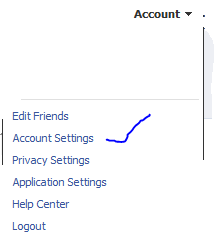
Go to your profile home page, and click on top right cornnet Account

Click Account settings…and click “change” on the Email tab


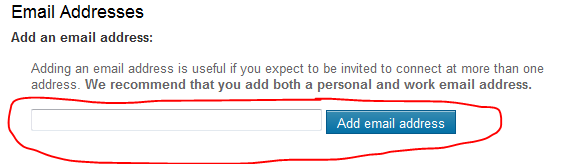
Enter the other email ID here and click “add new” (If you have more than one email id other than the primary one..keep on add here)

REMEMBER : When you add an email id here, there will be a confirmation email send from this account..please confirm it back so that the email id you added get registered
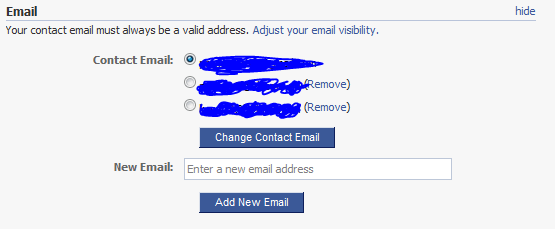
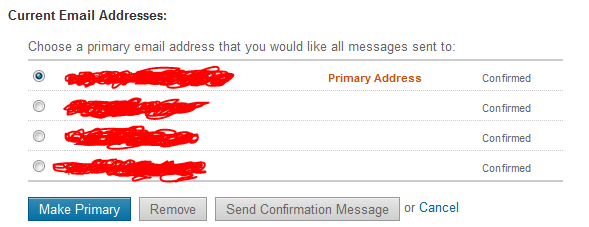
Once you finish adding and click on the confirmation email(s), you will see the account like above, where your primary email id is now been selected in the radio button.

Thats it for FACEBOOK

Logon to your linkedin profile and go to the top right corner and click “Settings”

Under Personnel information, Select Email Address

Add your other email id’s here…

REMEMBER : A Confirmation email will be send to each of the email id you add..

Once you done..your email profile will look like above…

That’s all

Public folder email forwarding issue!!!

When you have a mail enabled  public folder in your exchange server 2007/2010 environment, you might face issues with email forwarding from the public folder from your user account, where you will get an error “Operation failed”.

Resolution :

  1. Logon to outlook with administrator(Domain) credemtial
  2. Goto the Public folder
  3. Select the folder where you are facing the issue
  4. Right click
  5. Select Properties
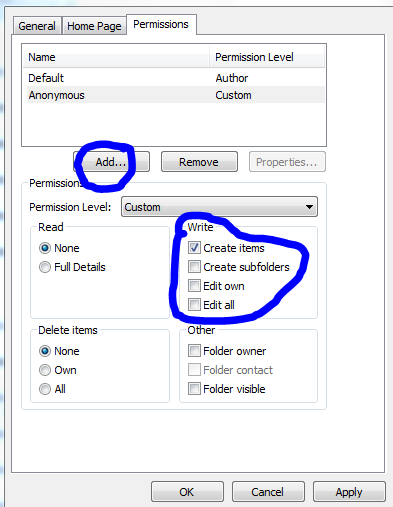
  6. Goto Permission TAB
  7. Add users
  8. Check mark the appropriate rights on the “Write” permission area..normally “Edit all” will do the work
  9. Click apply and click ok.

Outlook cannot open attachments!!!

Recently i come across this issue, and resolution for how to fix it

PROBLEM : When you receive attachment in your outlook, and when you try to open it, it says ” No permission to open the attachment”

Troubleshoot : This has nothing to do with the permission..this is because the temp folder is full…either you clear the temp folder or do the following..

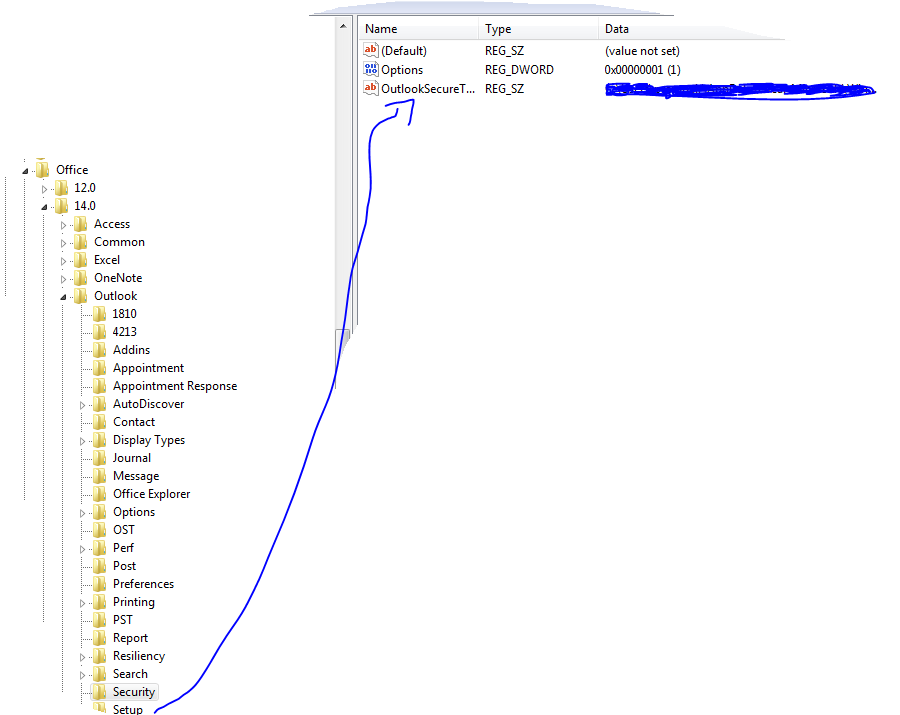
Solution : Go to REGEDIT->HKEY_CURRENT_USER ->Software ->Microsoft ->Office then click

  • 12 ->If you are using Microsoft Outlook 2007
  • 14 ->if you are using Microsoft Outlook 2010

then click Outlook -> expand it, select Security and edit the path “OutlookSecureTempFolder

Check the image below

 (Normally here you will see the default path..creat a temp folder under the available drive and then give the path here)

Microsoft Outlook Social Connector Provider for Facebook

The Microsoft Outlook Social Connector Provider for Facebook allows you to connect your Facebook account to the Outlook Social Connector and obtain information about your friends and colleagues.

You can see status updates and recently posted items from your Facebook contacts.

You can also use Outlook Social Connector to display a quick view of related Outlook content when you click on an email from a contact, such as recent e-mail conversations, meetings, and shared attachments to help you easily track your communications

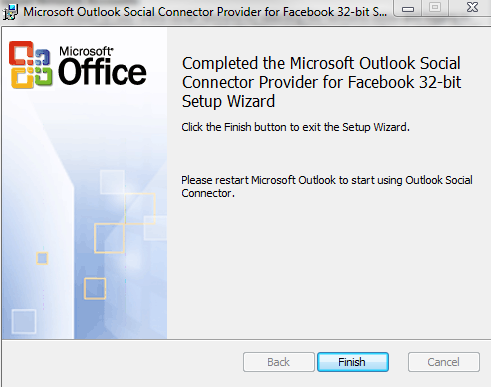
Once you finish installing the Social connector, Please re-start the Outlook and then goto your reading panel below down you can see the user icon  and underneath, there is a button called +ADD…click that (Check the above image) and then select each connector and type the credential…

You are ready to go!!! …read my previous blog for more Microsoft Outlook 2010 – Social connector
NOTE: The Microsoft Outlook Social Connector Provider requires Microsoft Outlook Social Connector and the related update (KB983403) to be installed. If these components are not already installed on your machine, the Microsoft Outlook Social Connector Provider for Facebook will download and install the necessary updates from the Microsoft Download Center before completing the provider installation.

To download click here

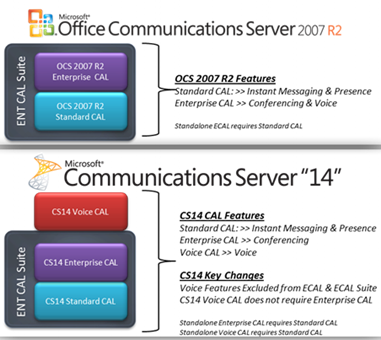
Disclosed Communications Server “14” @Tech•Ed North America 2010

Tech•Ed North America 2010 ( New Orleans, June 7-10th) is done and they disclosed Communications Server “14” features and functionality during the event.  You can catch presentation on-demand at Tech•Ed Online..Whats new in Communication 14 Video

Microsoft Communications ‘14’ really delivers on that promise of a more connected experience for people that want to stay plugged in to what’s going on, even when they are not there. The new collab experience is great. Having PowerPoint, the RoundTable view, and IM all in one view is great.

Exchange Server 2010 Service Pack 1 Beta released

In my last post Exchange Server 2010 Service Pack 1 – Sneak-peak and Microsoft Exchange Team Blog Yes Virginia, there is an Exchange Server 2010 SP1, the team shared information on some of the features  and  expected fixes  that are coming with the SP1 update. Microsoft committed to providing the final version of Exchange Server 2010 SP1 before the end of 2010, and now they have release the Beta of Exchange Server 2010 SP1. Video Preview from MSEXCHANGE Team ..You can download the Microsoft Exchange Server 2010 SP1 Beta from here…This pre-release software is intended for evaluation purposes only. You must accept the license terms before you are authorized to use the software. There is no product support for this trial software.

Is The New Exchange 2010 Service Pack Enough to Stop the Migration to Google Apps?..Click here to read